Billie Jo Etchason
Navigating Seesaw: Libraries Overview & Navigation
Seesaw is a powerful tool that helps teachers find, assign, and create lessons that truly support student learning. Let’s take a closer look at how to navigate Seesaw’s libraries and make the most of its features in your classroom. Exploring Seesaw’s Libraries Seesaw offers four main libraries to help you discover lessons and activities: These libraries make it simple to find the content you need for your students. To explore, just tap the ‘Explore Libraries’ button, choose a subject tile, and start browsing lessons. Understanding Lesson Components Once you’ve explored the libraries, you can dive deeper into the lessons themselves....
Capturing Learning & Building Community What does learning with Seesaw look like in the classroom, and how can it help create a positive, engaging classroom culture? Seesaw is a powerful tool for teachers and students for many reasons, but nothing is more powerful than this beautiful button. What makes this feature so special? Well, this seemingly simple button holds the Seesaw magic: it actively captures learning! Teachers and students use this button to: This little green button truly creates magic. What else makes it special? When a teacher uses the green +Add button, any learning- classroom moments, artifacts, samples, exemplars,...
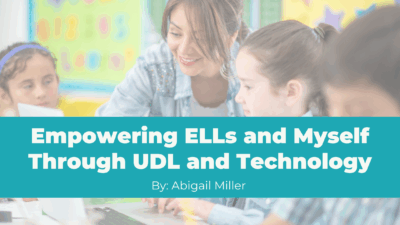
How the UDL Tech Cohort Transformed My Teaching Practice
How much do you know about Universal Design for Learning, or UDL? Before joining the UDL with Technology cohort at Elkhart Community Schools, I thought I knew what Universal Design for Learning was—but this experience deepened my understanding in ways that directly impacted my English Language Learners. Universal Design for Learning (UDL) is an approach to teaching and learning that gives all students equal opportunity to succeed. To understand what UDL is, it helps to understand what it’s not. The word universal may throw you off. It may sound like UDL is about finding one way to teach all students. But UDL...
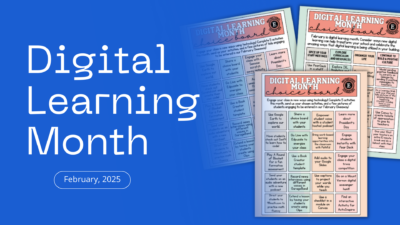
February is Digital Learning Month
Celebrate by exploring our choice boards for elementary teachers, secondary teachers, and principals. Each board has helpful links and activities to help you shine as a Digital Learning Superstar! ⭐️✨
🍎 Elkhart Teachers and Administrators: Complete any five activities and email your pictures to instructional-tech@elkhart.k12.in.us to enter our giveaway!
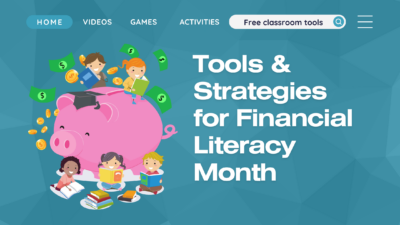
Empowering Financial Literacy: Tools and Strategies for Every Classroom
Every April is Financial Literacy Month, raising awareness of how important it is to achieve financial literacy and maintain smart money management habits. Learning this early can really ignite today’s generation into future financial savvy adults.

Empowering Literacy Through Read Alouds
If you are connected anywhere to early literacy education right now, I am sure you are aware of the national conversation around aligning current practice to the science of reading. But what is the science of reading and how can it make our students better readers? I am by no means an expert, but have picked up some helpful resources along my learning journey to hopefully help you with the shift you are making in your classroom when you read aloud to students. Reading for Understanding One main aspect behind the science of reading is the idea that reading comprehension...
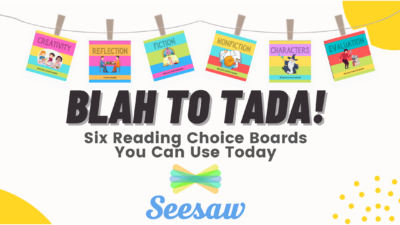
Reading Response Choice Boards in Seesaw
Are you looking for new ways to reach students, especially those fast finishers / high-performers? Do you need ways to differentiate tasks without requiring a ton of extra time? Maybe you need something for your students to work on that is meaningful and not just a time-filler? Why not use a choice board! Choice boards allow students to make choices in their learning, which amps up motivation and engagement. When students are given a menu of options, they feel more in charge of their learning and often put forth more effort. As a teacher, I also like how I can...
Save Time With Digital Teaching Slides for Quick Practices and Anytime Problems in Math Expressions
Do you remember hearing “Do The Blue” but don’t remember what it refers to? Quick Practices (K-6th), Daily Routines (K-2nd), and Anytime Problems (3rd-6th) are all parts of the “Doing the Blue” section of lessons in Math Expressions. “Doing the Blue” are the main components of the lesson that should be taught. Quick Practices, Daily Routines, and Anytime Problems are an important part of the process and student learning in math. These practices and routines focus on concepts and skills throughout the year that are needed for student mastery. They build classroom belonging and develop student leaders, as well as...
Focused and Targeted Instruction Using NWEA Scores with Free eBook
Are you looking for ideas on how to utilize NWEA data in meaningful ways to inform instruction and put the data to work? Teach. Learn. Grow. blog contributor – Kathy Dyer and Senior Curriculum Specialist for NWEA, John Wood – provide great ideas and techniques for getting the most from MAP Growth data in their free ebook “Using MAP Growth Data to Inform Instruction”. This valuable resource also provides real examples on how you can apply MAP Growth assessment data in your classroom to help improve instruction, set goals, predict proficiency, and even help with parent communication. Check out the...
Focused and Targeted Instruction Using NWEA Scores with Khan Academy Math
NWEA MAP data is powerful and can be put to great use to accelerate student learning and Khan Academy offers personalized math practice using NWEA scores.
Ready-to-Use Activities to Teach About Labor Day
Think of your favorite ice cream flavor. Can you guess how many workers it takes to produce that delicious cone of mint chocolate chip? 🍦We celebrate these (and all!) workers on Labor Day.
Celebrate the achievements of workers in the United States throughout its history with the exploration of Labor Day.
Check out these ready-to-use resources that may help you weave Labor Day into your instructional day a little easier!

Spotlight on Strategies: High Impact Teaching Strategies to Support All Learners
Finding new and creative ways to engage students can be challenging. We know that it is best practice to use multimedia content in the classroom, which helps the teacher engage the students and in turn helps the student to be more involved and retain more information from the lesson. Sometimes finding those resources and strategies, however, can be difficult. Subscribers to Discovery Education have access to an extensive collection of multimedia resources, as well as a collection of creative, research-based instructional strategies, known as Spotlight on Strategies (SOS). These strategies are presented by teachers for teachers to support implementing multimedia...
Scratch Art Activities on Seesaw
As a kid, I felt so satisfied when holding the small wooden scraper tool to scratch away the layer of black ink, revealing all the hidden rainbow colors on a scratch art pad. You can create the same nostalgic Scratch Art feel digitally in Seesaw! Using Scratch Art can amp up engagement with students while holding on to the content you want them to focus on. Simply use the rainbow Seesaw background, add a layer of black with the marker, then use white to write your content. Students then use the eraser tool to trace your content or anywhere...