
Bookmark Organization Tips
If you’re anything like me, when you’re researching for class, you open tab after tab of websites and slowly work your way down the row. As I find things I like, I keep the tab open. If it’s not something I can use, I’ll close it so I don’t have to remember what was there. After I have all of my tabs lined up, the question of what to do next comes up. Sometimes, I’ll narrow it down to one useful page. Other times, I’ll want to remember what I had opened. Here’s where bookmarks in Chrome can be really...

Watch a Hangout with NASA Engineer, Dr. Shawn Gano
Elkhart Memorial students had a chance this morning to do a Google Hangout with a software engineer for NASA, Dr. Shawn Gano. Shawn graduated from Niles High School and earned his Ph. D from the University of Notre Dame. He works with NASA software engineers to maintain Mission Control systems and Orion spacecraft systems from Houston, TX. The Hangout was recorded and you can watch (or listen) to the entirety below. The first half is Shawn’s background and some of the projects he’s worked on with NASA. The second half is Q&A using pre-submitted questions as well as questions from...

Creating Custom Email Lists from a Spreadsheet
Gmail is great for creating lists of email addresses for mass mailings. But, if you have dozens of students, it’s tedious to either, A) type every email into the list one by one, or B) go through the directory of thousands of students to add them to your group. I wrote up a Google Sheets template which will add emails right from the Sheet using a custom script. You put the name of the group into the input box and it does the rest. Take a look at the video below for how it works. You can jump into your...

Using Learning Outcomes in Canvas
You could consider this part 2 of using Outcomes in Canvas. Missed part 1? Go back and look at how to find them. Learning Outcomes can help students understand why they’re doing an assignment or quiz. It connects to the bigger picture and helps you articulate the learning behind the coursework. Attaching Outcomes to assignments also opens up a different form of the grade book called “Learning Mastery.” In this post, I’ll go through how to attach Outcomes and navigate the Learning Mastery view of the grade book. Attaching Outcomes to Assignments Attaching an Outcome to an Assignment requires that...

Going paperless with ReadWorks!
As many elementary teachers would agree, ReadWorks.org is an awesome resource. I never thought that it could get much better, but it has! ReadWorks has now gone digital! Using the new website http://digital.readworks.org/ you can use all of the great articles and quizzes only not worry about the grading and copies because the grading will be done for you. You do have to set up a new username and password, if you already have an account with them, you can use the same information, just sign up as a first time user the first time 🙂 I used this resource for the...

Learning Outcomes are Already in Canvas
Identifying learning objectives in assignments can help make the process more transparent for students learning and for you as you assess their learning. Canvas gives you the option to add custom learning outcomes to assignments. You can then take those and use the Learning Mastery gradebook as students complete multiple assignments on the same objectives (more on that in another post). But, creating custom objectives can take a long time. Did you know that our Information Technology department has already loaded most of the Indiana state standards for us? Open up a course in Canvas and click on Outcomes in...

The Fishbowl – A Discussion Within a Discussion
Running a discussion when students have access to technology can be a challenge because many teachers feel they have to control what happens in both spaces. Using tech, you can actually have students hold two discussions – one out loud in the room and one in the chat space. Google Hangouts is open and available to Elkhart staff and students. If you’ve not used it before, check out our overview post. The concept is simple – two groups of people discussing the same thing in different media. One group of students is in the “fishbowl” having a discussion verbally. You...
Hiding Upcoming Assignments from Students
If you’re using Canvas in your class, you’ve probably noticed that adding assignment due dates for upcoming work displays the entire assignment when you publish it. Some students like to claim they’ve worked ahead, which may be true, but keeping a general pace through the course helps with dialogue in class and with your own assessment of their learning. One method of preventing speeding through material for the sake of doing it is to just not publish the assignment until you’re ready to. But, this can lead to problems if you get tied up with life or if you’re not...
Make Your Mark on Dot Day
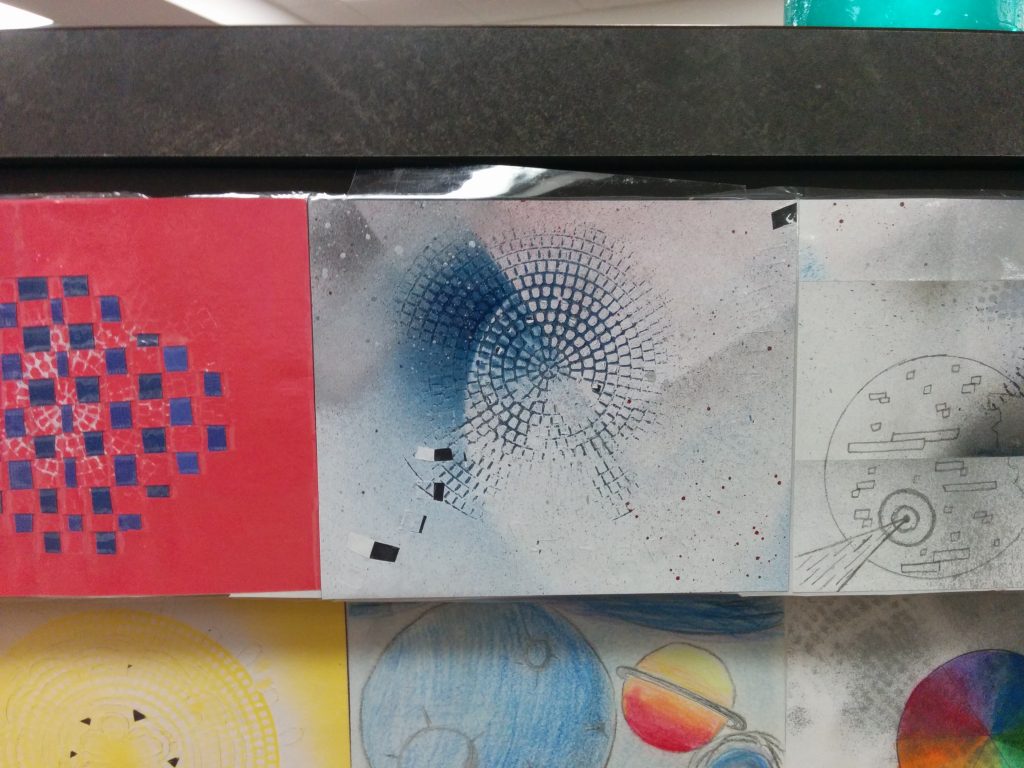
Peter H. Reynolds is a children’s author who is well known for his book, The Dot, which encourages kids to leave their mark on the world. Each year, International Dot Day encourages students to design and post a dot to represent the mark they want to leave as a legacy. Anyone can register to be included in the official roster for Dot Day each year. Colleen and Tracy in the Memorial High School media center have been working with students to make their mark on the circulation desk. They have materials available for students to make their mark and they’re...

Stop Sending Short Emails, Use Hangouts Instead
The featured image is a flickr photo by Joe The Goat Farmer shared under a Creative Commons (BY) license. Email. That word alone may make you break out into a cold sweat for one of two reasons: A) you’re always aware of it, or B) you’re behind on it. Some studies are showing that email is one of the highest producers of anxiety in the workplace, and it has been since the early 2000’s. So, how do we curb our email? This year, Elkhart teachers and students have access to Google Hangouts. It’s a video and text chat service linked...

The New Elkhart EdTech Blog
After a couple months of writing, we decided the Elkhart EdTech blog was a little…limited. The platform wasn’t working and it turned into a project for Wes, Kat, and me to manage. Rather than limit the blog to our collective brains, we’ve decided to open up the EET blog with a new look and a new purpose. In the true spirit of picking the tool that’s best for the purpose, we’ve moved from Blogger to WordPress. It’s infinitely more flexible and allows us to do some really cool things as we work to highlight the great stuff happening in Elkhart...

The Instructional Technology Team is on the Road
One of the goals of the Instructional Technology Team is to be visible and as available as possible whenever you need help. To achieve that goal, we’re hitting the road. Kat, Wes, and I (Brian) will be spending some time each week in just about every school in the district. We’ve got a calendar set up with appointment blocks laid out for each day of the week. If you run into trouble, but we’re not in your school, we’re also running help sessions via Google Hangout (more on that later). Remember, you can always request help with the Google Form...
Resources for Teaching Digital Citizenship
We cannot separate teachers “with computers” and “regular teachers” anymore. Digital Citizenship is essential for our students as they learn to navigate a world permeated by the Internet. They’re going to learn skills to navigate the web somewhere, so what better place than in schools? If you’re a K-8 teachers, this is now part of your Indiana curriculum. Teachers at the high school level, you’re not off the hook – carry these principles forward as you work with students on the web. Be explicit in expectations and explanations about what appropriate behavior looks like on and offline. EdSurge is a...