Create a Class Logo for Seesaw
A simple improvement you can make to your Seesaw courses is to add a custom logo to the class. The logo appears in the top right and in the class list on the left if your students are in more than once class. If you color code your logos with your partner teachers, students can quickly scan for the right class based on the logo. Design with Canva Not to be confused with Canvas, Canva is a free design tool you can use to make some custom graphics. You do need an account, but it allows for Google sign in,...
Create a Class Header for Canvas
A simple improvement you can make to your Canvas courses is to add a header image to your home page. It makes the course more inviting and helps it stand out from other courses they’re taking. You don’t have to be an expert in Photoshop or graphic design to make a simple image for your class Design with Canva Not to be confused with Canvas, Canva is a free design tool you can use to make some custom graphics. You do need an account, but it allows for Google sign in, which makes it easy to get going. Canva includes...
Weekly Update – January 25, 2019
? Polar Vortex 2: The Revenge Edition! ? My favorite headline this week was, “If You Think it’s Cold Now, We Have Bad News For You.” Frigid temperatures may have an icy grip on the area, but we have some ? hot tips ? for you today. We’re kicking off this edition with a post on making collages with Keynote, followed by a reminder on using Apple Classroom with students. That segues beautifully into a new PD option this semester. Project Tip: Collages with Keynote Jen Smith suggested a great way to use Keynote with your students. Instead of sticking...

Brand New: PD On Air
Our goal is to support teachers with high-value, high-impact PD. Two years ago, we held frequent workshops to get teachers and staff up to speed on Google and Canvas. As the skill gap closed, our attendance dropped and we moved away from centralized, in-person lessons. Then, we introduced four-week, scheduled workshops to build on those skills. Again, as the gaps closed, interest in those workshops declined, so we moved away from that model. We’re embedded in buildings now and while that support helps in the moment, we still want to offer broad instructional and technical help to teachers. We’re going...
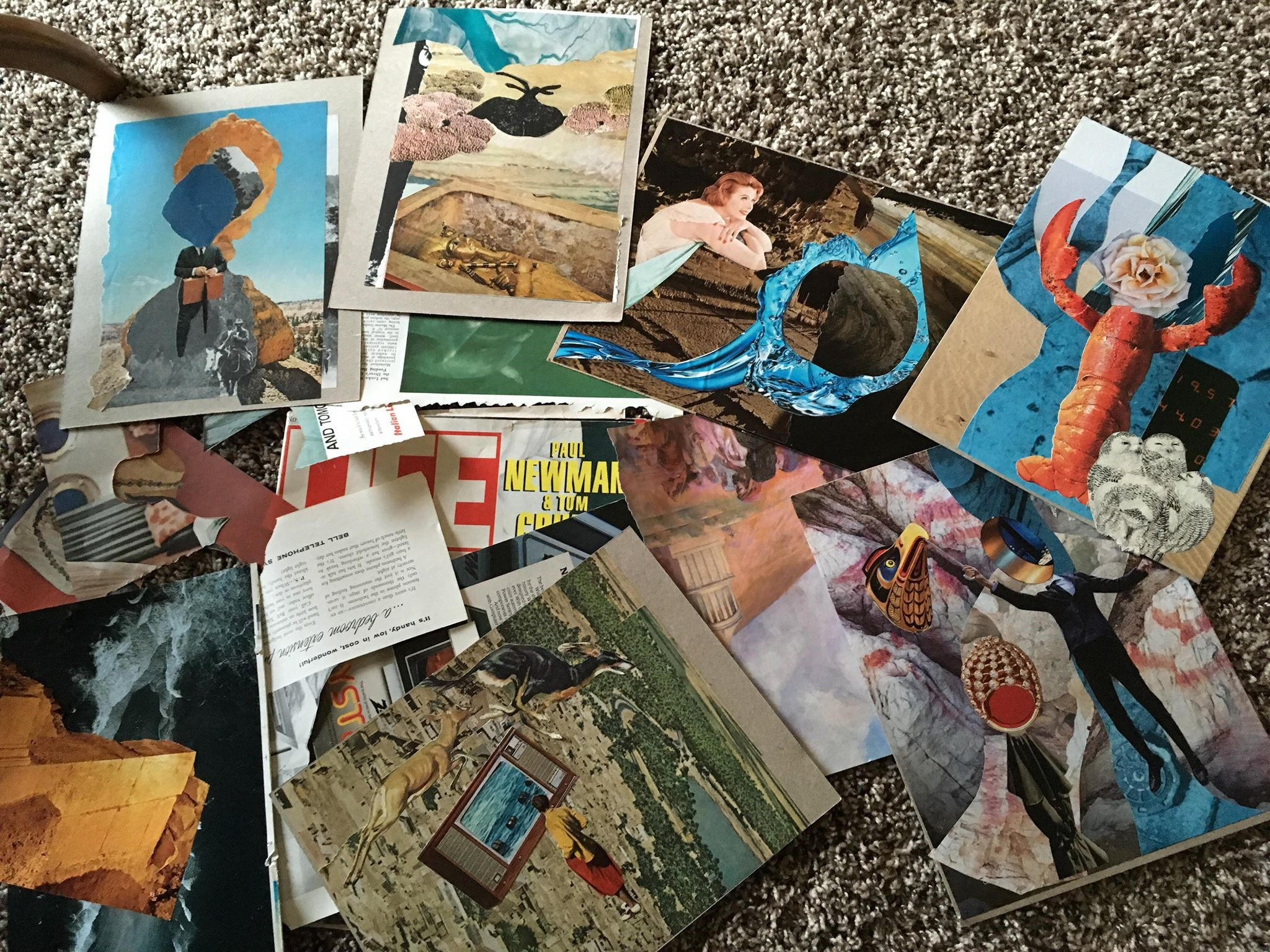
Use Keynote for Digital Collages
The original idea for this post came from Jen Smith, the Technology Ambassador at North Side Middle School. You can contact Jen for more details or work with your building Technology Ambassador if you want to try it out with some added support. Do you remember covering notebooks with magazine or photo cut outs? I definitely do. I also remember scouring magazines and newspapers for collage assignments. I also remember saving shredded magazines for potential collage-making endeavors when I started teaching, just in case. Using Keynote as the base, there are several other tools you can have students create collages,...
Weekly Update, January 18, 2019
The Polar Vortex is Coming! Edition This this week’s TWIT, we have a video on aligning IXL tasks to your students, sharing PDFs with students through the Books app, and some good habit reminders from Tech Services. Assign IXL Tasks by Topic IXL has several textbooks aligned to their tasks. On the IXL website, tap on the Inspiration link at the top, and then go to Textbook Alignment on the left side. Select your content by topic to see aligned tasks. Watch Kat’s video for a walkthrough. Distribute PDFs with the Books App The Books app on the iPad can...
Weekly Update – 1/11/19
The New Year TWIT Happy New Year! We’re excited to be back for second semester after refreshing for a couple of weeks. We have two updates today: gradebooks and the new technology website. Gradebooks Many of you are working hard on setting up your gradebooks. The same expectation stands for this semester: PowerSchool is the official grade for students. If you are using the Canvas sync to get grades into PowerSchool, remember: Be sure to regularly check the two gradebooks to confirm grades are posting accurately from Canvas to PowerSchool. Otherwise, you are free to manually enter grades in PowerSchool if that makes your...

Canvas/PowerSchool Clarification
The following email was sent to all secondary staff (teachers and administrators) on December 7, 2018. It provides clarification about using Canvas and PowerSchool for the rest of the school year. Good morning, The intent of this email is to offer clarification about how we will continue to use PowerSchool and Canvas for the remainder of this school year. Please read this message carefully. The official gradebook for the district is PowerSchool. All assignments and letter grades need to be in PowerSchool and students need to be directed to look at PowerSchool for grade information for the remainder of the...
Weekly Update – December 7, 2018
Hey there. It’s a smaller update this week, but we have a Canvas/PowerSchool clarifier, help on setting up your final, and a reminder about where to find the control center in iOS 12. PowerSchool & Canvas Clarification This morning, you should have received a separate email with clarifications on using PowerSchool and Canvas in conjunction with one another. In short, PowerSchool is the official gradebook.. Make sure it is accurate.Please read the email carefully as it clarifies the expectations for Canvas and PowerSchool and provides options on how to use the Canvas gradebook. We’ve also posted the email here for quick reference. Setting...
Weekly Update – November 30, 2018
Hello! There are some big updates this week: iOS 12 is available, building Tech Ambassadors announced, and some ideas of discussions in class. iOS 12 is Here This week, Tech Services opened up all district iPads for the iOS 12 update. Students were prompted thorough Self Service to update when they had time. Teachers, you can also perform this update when you’re ready. In one week, Tech Services will force anyone who hasn’t updated to the newest version. With any update, there are some changes you need to know about. We wrote up a blog post with details about changes...
ECS Technology Ambassadors by Building
We’re excited to announce the names of teachers who are going to serve as Technology Ambassadors in each building around the district. This group was created because there is just no way Wes, Kat, and I could cover the entire district. This group of teachers has expertise in instruction as well as pulling in and using several of the technology resources available in the district. Their Task Each of these teachers is going to work as an instructional support specialist in the building. Things like getting your class running online in Seesaw or Canvas, using the iPads creatively with students,...
iOS 12 Changes to Watch For
iOS 12 is coming soon and there are a couple changes you should know about. Interaction The Control Center is moving. You used to be able to double-click the home button or swipe up from the bottom of the screen. Neither of those interactions work anymore. In iOS 12, the Control Center is a swipe from the top-right corner. Since the Control Center isn’t a swipe up from the bottom anymore, what happens with that gesture? In iOS 12, a swipe up from the bottom edge of the screen will take you back to the Home screen. This is useful if you can’t reach...

Discussion Prompts: Get Students Talking
Speaking helps us reinforce our thoughts. If we can communicate what we’re thinking, we open up possibilities to challenge our schema and solidify ideas.